
Release date 5.71: 12 November 2026
Improvements
Search & Filters
- Choose your search mode: With AI search enabled, the search bar offers the modes your organization allows: Freetext, AI search and AI + Freetext, starting from your organization's default. An icon shows which mode is running.
Note: Contact your Sales representative for more information.
- Calendar date picker and relative dates: Date fields in the search filter bar and Review & edit open a calendar. In the search filter bar you can also filter on dates relative to today, so "uploaded in the last 30 days" stays current.
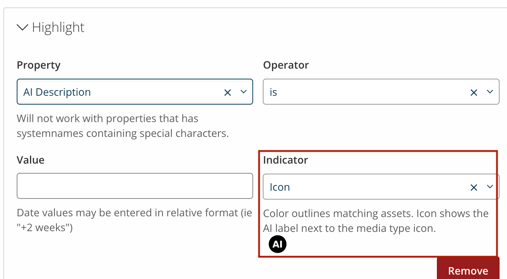
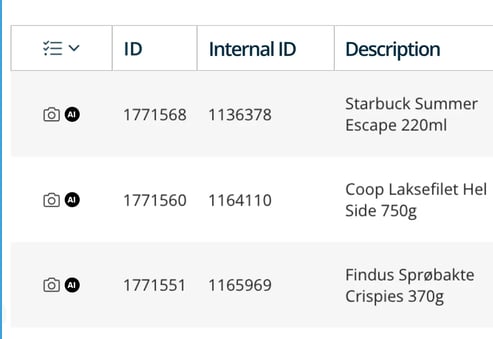
- AI icon in search result highlighting: Search Result Highlighter rules can now show an icon (the EU AI label) instead of a coloured border, in grid and list view. Existing rules keep their border.
- Pick consent status by name in highlighter rules: When a Search Result Highlighter rule uses Consent status, you pick Approved, Rejected or Pending from a dropdown instead of typing a number. Existing rules keep working.
For instructions on how to configure Search Result Highlighter, see Search Result Highlighter Plugin.
Templates & Downloads
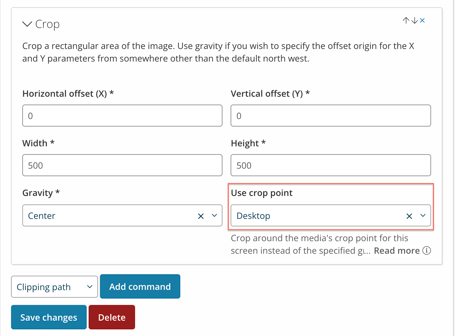
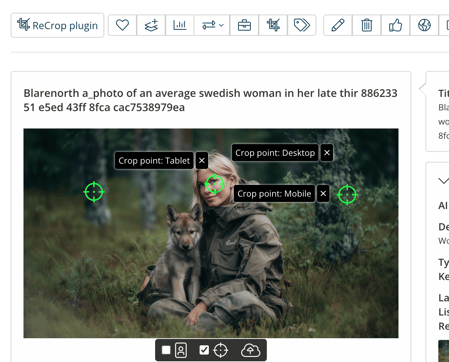
- Up to three crop points per image: Set separate Desktop, Tablet and Mobile crop points on an image, and pick which one each template's Crop command uses. Existing templates work as before.
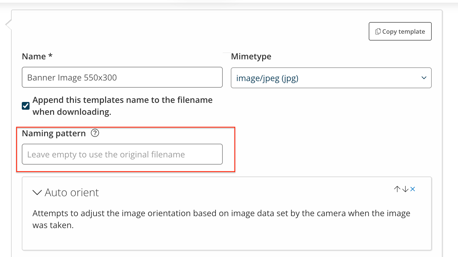
- Naming patterns on download templates: Save a filename naming pattern on an image, video, audio or document template, and downloads with it get consistent filenames. You can still type your own pattern for a single download.
Administration & Moodboards
- Clearer Mail Notification settings: Mail Notification settings are split into Media notifications and User notifications, and only show the fields for the notification type you pick.
- Moodboard uploads keep working for SSO owners: When SSO updates user data on login, visitors can upload to a moodboard as long as its SSO owner isn't deleted, even after the owner's end date.
Bug Fixes
- Upload - QBD-1404: Fixed an issue where a new version upload was reported as failed too early
- Upload - QBD-2078: Fixed an issue where the upload dialog showed names as HTML
- Publishing - QBD-1957: Fixed an issue where integration folder names were shown as HTML
- Publishing - QBD-2076: Fixed an issue where deploy events were missing republished files
- Publishing - QBD-2201: Fixed an issue where "Fall back to original" published originals too often
- Publishing - QBD-2847: Fixed an issue where a blocked deploy published only the original
- Export - QBD-2011: Fixed an issue where CSV export split rows
- AI Enrichment - QBD-2146: Fixed an issue where the AI Generated tooltip stayed after a manual change
- Moodboards - QBD-2191: Fixed an issue where a moodboard showed assets twice
Best Regards,
Philip Daveby
Product Owner