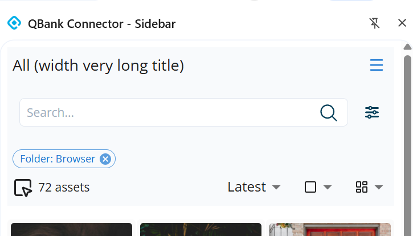
Browser Connector Sidebar
-
New Sidebar variant: Opens on the left side of the browser and stays visible while browsing.
-
Persistent view: Unlike the Popup, the Sidebar remains open when clicking in the browser window.
-
Shared UI: Both Sidebar and Popup have the same user interface and functionality.
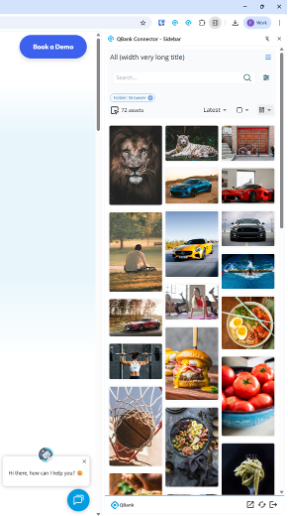
Thumbnail Size Selection
-
Users can now select thumbnail sizes to customize asset previews.
-
Available options: Small, Medium, Large.
-
Improves visibility and makes browsing large collections easier.
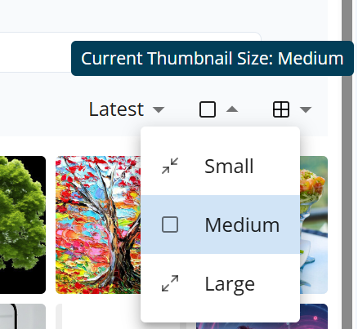
Masonry View Mode
-
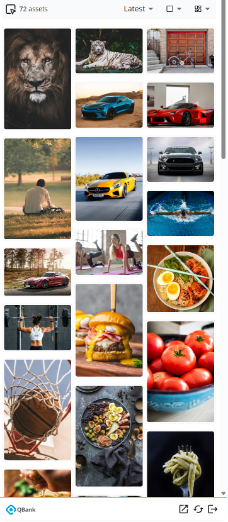
New Masonry layout for assets.
-
Images are arranged in columns, but each image can have a different height.
-
Items “stack” to fill vertical gaps instead of aligning in strict rows.
-
Provides a more flexible and visual overview of your assets.
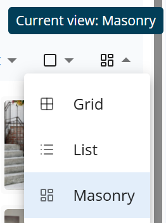
Modified Target Menu
-
The target menu automatically adapts to smaller windows.
-
On small screens, icons collapse into a hamburger menu in the upper-right corner.
-
Improves usability across different screen sizes and workflows.